
Decision & Conversion
Why Your LinkedIn Headshot Is Losing You Business (And How to Fix It)
Your LinkedIn profile is often the first place a potential client, employer, or collaborator encounters you. Here's what your headshot is telling them before you ever say a word.
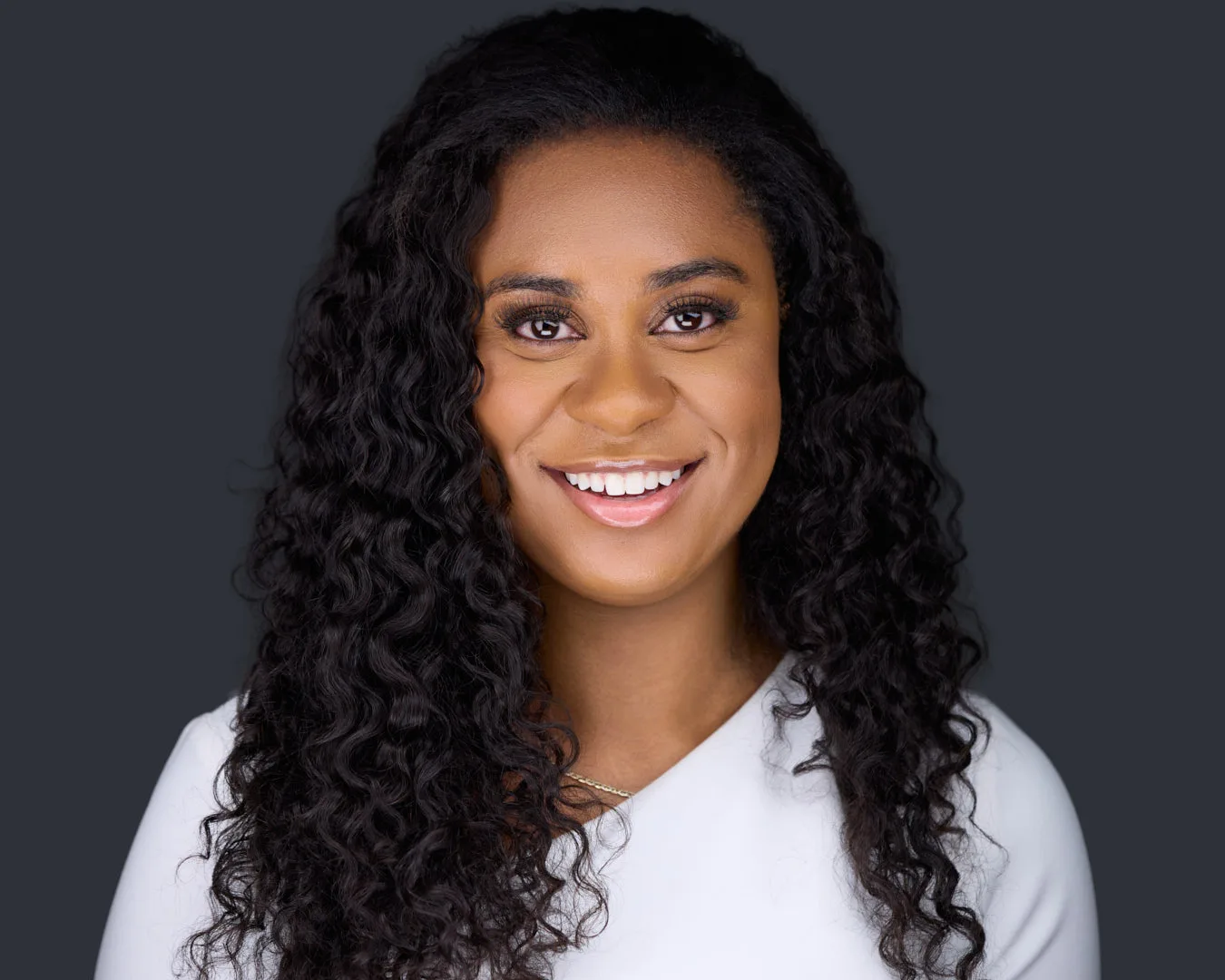
Every meaningful professional interaction that happens online starts with your LinkedIn profile. A recruiter searches your name. A potential client clicks through from an email signature. A conference organizer reviews speaker submissions. A journalist looks you up before an interview.
In every one of those moments, the first thing they see is your headshot. Not your title, not your company, not your experience. Your face.
And in the split second it takes to form a first impression, your headshot is answering a set of questions the viewer doesn't even realize they're asking: Does this person look credible? Approachable? Current? Professional? Do they look like someone I want to work with?
The answer to those questions is being shaped entirely by a single photograph. Here's how to make sure it's the right answer.
What LinkedIn Data Actually Shows
LinkedIn has published its own research on this. Profiles with a professional photo get up to 14 times more profile views than those without one. They also receive significantly more connection requests and are more likely to get a response when sending InMail or messages.
But the gap isn't just between "has a photo" and "doesn't have a photo." It's between a professional headshot and a casual one. A cropped vacation photo, a group shot, a selfie with visible background clutter, or an image that's clearly five or more years old all underperform compared to a clean, well-lit, current professional portrait.
The data confirms what most professionals intuitively know but rarely act on: your headshot is doing real, measurable work. The question is whether it's doing that work for you or against you.
The 5 Most Common LinkedIn Headshot Mistakes
1. No photo at all
This is the most damaging option. A blank profile silhouette signals one of two things to the viewer: either you're not active on the platform, or you're intentionally hiding. Neither builds trust. In competitive professional environments, having no photo is functionally equivalent to not having a profile at all.
2. A casual or social photo
The wedding photo. The beach vacation crop. The selfie at a restaurant. These images communicate warmth and personality, but they don't communicate professional credibility. The context mismatch between a casual setting and a professional platform creates subtle friction in the viewer's assessment of you.
3. An outdated image
If your headshot was taken more than three years ago and you've changed your appearance since then, the disconnect between image and reality costs you trust the moment someone meets you. People expect the person in the photo to match the person in the room. When they don't, there's a recalibration that starts the relationship on slightly uneven ground.
4. Poor lighting or image quality
Dim, grainy, or harshly lit photos read as unprofessional regardless of what you're wearing or how you're posed. The eye detects quality instantly, even when the viewer can't articulate what feels "off." Low-resolution images that pixelate on larger screens are especially damaging on desktop, where LinkedIn profiles are often viewed at full width.
5. The wrong expression
A stiff, forced smile. An overly serious, closed-off expression. A face that says "I am being photographed and I know it." Your expression should communicate what you want your professional relationships to feel like: approachable, confident, and engaged. If your headshot expression doesn't match your professional personality, it's creating a false first impression.
Pull up your LinkedIn profile right now. Look at your headshot as if you were seeing it for the first time. Does it look like someone you'd want to hire, work with, or refer business to? If the honest answer is "not really," that's what every person who views your profile is feeling too.
What a Strong LinkedIn Headshot Looks Like
A headshot that works on LinkedIn has five qualities:
- Current: it looks like you today, not three years ago
- Well-lit: clean, professional lighting with no harsh shadows or color casts
- Properly framed: head and shoulders, centered or slightly off-center, with a clean background
- Natural expression: confident, approachable, and engaged, not stiff or performed
- High resolution: sharp and clear on any device, at any size
Notice what's not on that list: it doesn't need to be glamorous. It doesn't need to be edgy or creative. It needs to be accurate, professional, and trustworthy. That's it.
How to Fix It
The same is true anywhere your face represents you before you speak. For agents whose photo appears on every listing, yard sign and brokerage roster, realtor headshots carry the same weight a LinkedIn photo does for everyone else.
If your current LinkedIn photo fails any of the five qualities above, the fix is straightforward: book a professional headshot session. Not because you need to look perfect. Because you need to look like the most professional, credible, current version of yourself.
A focused session takes as little as 30 minutes. Your proofs arrive in a private online portal, and your fully retouched, high-resolution images are delivered within 7 to 10 business days, ready to use across LinkedIn, your company website, speaker bios, email signatures, and any other professional context where your image represents you.
The ROI is every single profile view, every connection request, and every first impression that happens before you ever open your mouth.
Ready to Upgrade Your LinkedIn Presence?
Professional headshot packages starting at $595. Serving executives, attorneys, and professionals throughout the DC Metro area.
VIEW PACKAGES & PRICING